Description
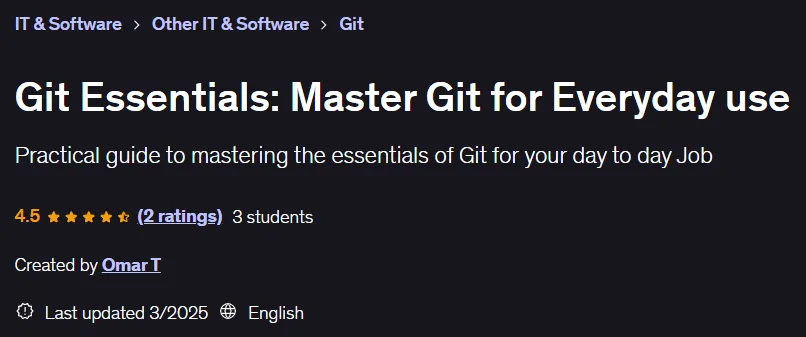
Git Essentials: Master Git for Everyday Use. This course provides a comprehensive and practical introduction to the Git version control system for everyday use. Designed for beginners, this course focuses on practical and common uses of this industry-standard tool. Participants will learn how to effectively manage their files and code, track changes, and collaborate with others using Git. Drawing on 15 years of hands-on experience, the instructor shares his knowledge based on the real needs of production environments, going beyond pure theory. Key course objectives include understanding the core concepts of Git version control and architecture, being able to initialize and configure a repository, performing basic operations such as adding and committing changes, effectively branching and merging code, collaborating via remote repositories such as GitHub, managing merge conflicts, and using various workflows such as feature branching and bug fixing. By the end, learners will have a deep understanding of common commands and best practices for using Git in real-world scenarios. This course is part of a larger series designed to prepare individuals to enter the technology field and pursue software development careers.
What you will learn
- Understanding the basic concepts of Git:
- Learn the basics of version control, repositories, and Git workflows to effectively manage and track code changes.
- Mastering basic Git commands:
- Gain proficiency in using key Git commands such as
git init,git clone,git commit,git pushandgit rebasefor everyday use. - Collaborate using Git:
- Learn how to create branches, merge changes, and resolve conflicts to collaborate effectively with teammates on shared projects.
- Managing local and remote repositories:
- Understand how to manage local and remote repositories, including setting up remotes, viewing history, tags, etc.
- Using Github:
- Learn how to use Github for your remote repositories, create pull requests, and conduct code reviews.
This course is suitable for people who:
- This course is suitable for beginners who have little or no previous experience with version control and want to learn Git in a hands-on way.
- This course can also be used as a refresher for those who are already using Git but don’t feel comfortable.
- This course is the first in a series designed to help anyone become a back-end, front-end, or full-stack developer and achieve their dream job from the ground up.
Course details
- Publisher: Udemy
- Instructor: Omar T
- Training level: Beginner to advanced
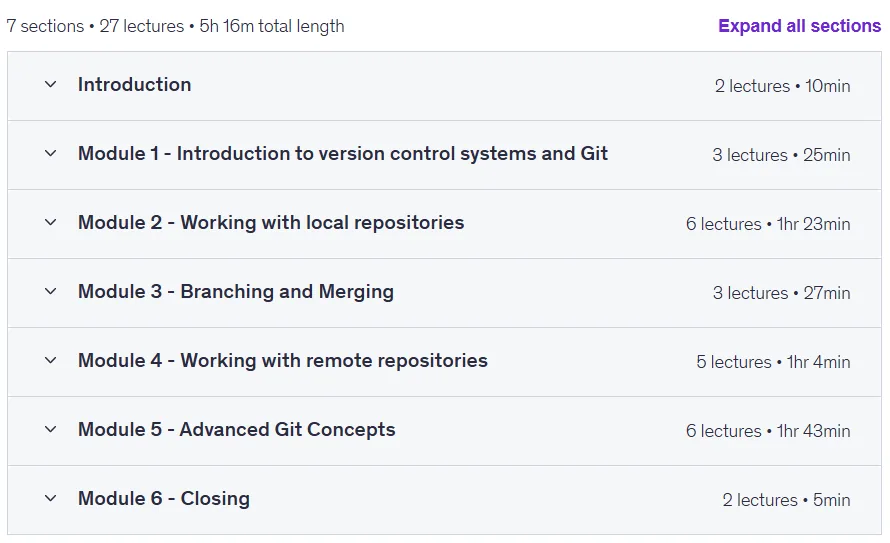
- Training duration: 5 hours and 16 minutes
- Number of lessons: 27
Course topics

Prerequisites for the Git Essentials: Master Git for Everyday use course
- All you need is a computer with internet access.
- No prior experience with Git or programming is needed, you will learn the essentials you need for your day to day job
Course images
Sample course video
Installation Guide
After Extract, view with your favorite player.
Subtitles: None
Quality: 720p
Download link
Downloadly
Rapidgator link
File(s) password: www.downloadly.ir
File size
2.2 GB