Description
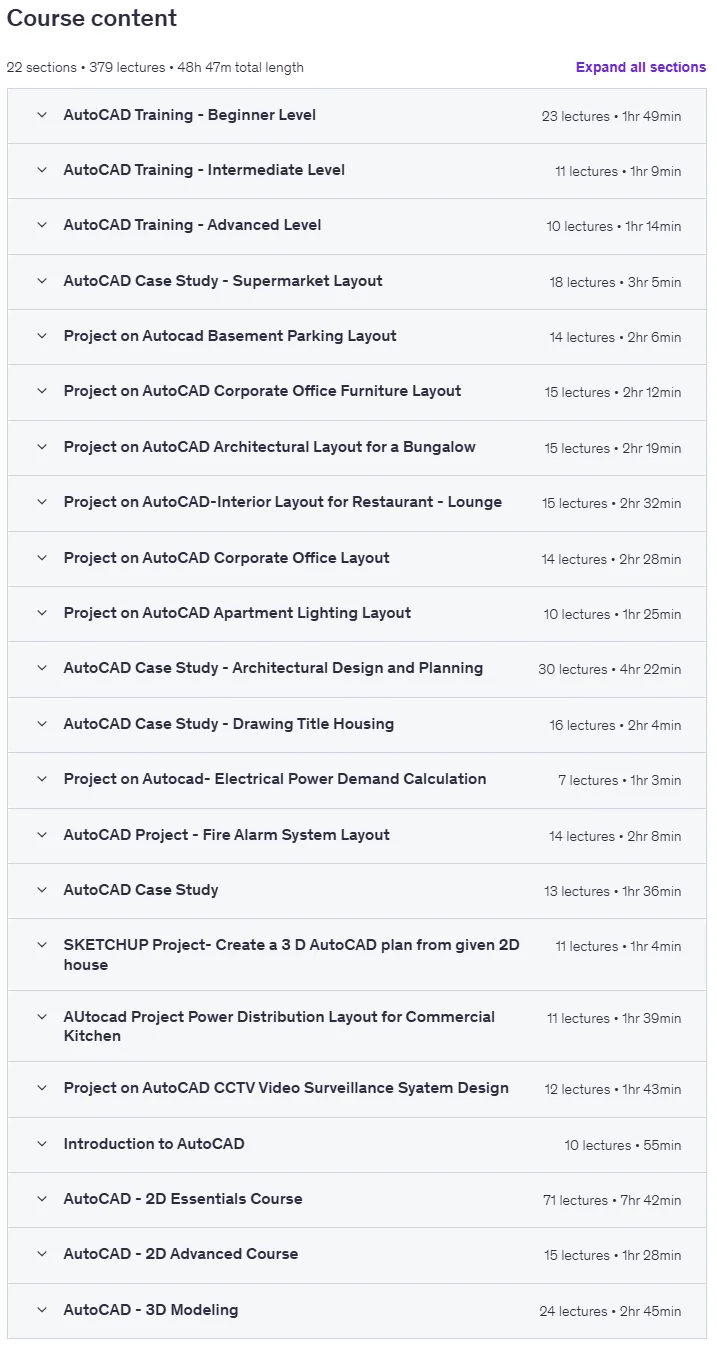
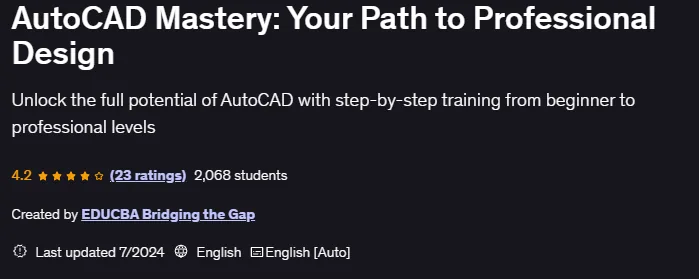
AutoCAD Mastery: Your Path to Professional Design is a course on AutoCAD, the industry-standard software for 2D and 3D design, published by Udemy Online Academy. It is a complete course designed to take learners from beginner to professional level in AutoCAD, the industry-standard software for 2D and 3D design. This course focuses on practical, real-world applications in architecture, engineering, and manufacturing, and teaches the skills needed to create professional drawings, technical drawings, and detailed design projects with precision and confidence. Whether you are an aspiring architect, engineer, or designer, this course will equip you with the essential skills to create accurate, professional designs using AutoCAD. Starting with the basics, you will learn how to navigate the AutoCAD interface, set up your workspace, and execute basic drawing commands.
As you progress, you’ll delve into more advanced topics such as 3D modeling, detailed project layouts, and real-world case studies. Each section is carefully structured to build your knowledge step by step and ensure a solid foundation in 2D and 3D design. By the end of this course, you’ll be proficient in using AutoCAD for a wide range of applications and ready to tackle any design challenge with confidence and expertise.
What you will learn in AutoCAD Mastery: Your Path to Professional Design:
- Basic Drawing Commands: Gain skills in creating and editing basic shapes such as lines, polylines, circles, arcs, rectangles, polygons, and ellipses.
- Advanced Editing Commands: Learn to manipulate objects using commands such as move, copy, rotate, mirror, offset, scale, stretch, fill, explode, and erase.
- Text and Dimensioning: Master techniques for adding text and dimensions to your drawings for clear communication and documentation.
- Layer Management: Efficiently organize your drawings using layers to control the visibility and properties of objects.
- Introduction to 3D Modeling: Transition from 2D to 3D by learning the 3D workspace, visual styles, and basic 3D shapes and commands such as extrude, revolve.
- And …
Course specifications
Publisher: Udemy
Instructors: EDUCBA Bridging the Gap
Language: English
Level: Introductory to Advanced
Number of Lessons: 379
Duration: 48 hours and 47 minutes
Course topics

AutoCAD Mastery: Your Path to Professional Design Prerequisites
Basic Computer Skills: Familiarity with operating a computer, including using a mouse, keyboard, and basic navigation of software applications.
Access to AutoCAD Software: Students should have AutoCAD installed on their computer. A trial version is acceptable if they don’t own a licensed copy.
Operating System Knowledge: Basic understanding of the Windows or macOS operating system for installing and managing software.
Internet Connection: A stable internet connection is necessary for accessing online lectures, downloading course materials, and participating in any online discussions or assignments.
Eagerness to Learn: A willingness to practice and apply the concepts taught in the course, as hands-on experience is crucial for mastering AutoCAD.
Basic Drafting Knowledge (Optional): While not mandatory, a fundamental understanding of drafting or design principles can be beneficial.
Notebook and Pen: For taking notes during the course and jotting down important tips and commands.
Time Commitment: Dedication to complete the course, including lectures, exercises, and projects, which will help in fully grasping the material.
Curiosity and Patience: An open mind and the patience to work through complex drawings and projects, which are key to becoming proficient in AutoCAD.
Pictures

AutoCAD Mastery: Your Path to Professional Design introduction video
Installation guide
After Extract, watch with your favorite Player.
English subtitle
Quality: 720p
Downloadly link
Rapidgator link
File password (s): www.downloadly.ir
Size
29.6 GB