Descriptions
Microsoft Copilot for Excel, Accelerate your Excel skills with Microsoft Copilot and learn how generative AI can help you write formulas, analyze data, visualize information, and automate tasks. This course covers practical use cases for Copilot in Excel, including generating formulas, summarizing and cleaning data, building charts, and creating reports. You’ll discover how to use AI-powered features to save time, reduce errors, and unlock new possibilities for data analysis and productivity, whether you’re working with budgets, sales data, or complex spreadsheets.
What you’ll learn
- Use Microsoft Copilot to generate formulas and automate calculations in Excel
- Summarize, clean, and transform data using AI-powered tools
- Build charts and visualizations with Copilot suggestions
- Create reports and automate repetitive spreadsheet tasks
Who this course is for
- Excel users who want to boost productivity with AI
- Professionals seeking to automate data analysis and reporting
- Anyone interested in learning practical generative AI applications in Excel
Specificatoin of Microsoft Copilot for Excel
- Publisher : Maven Analytics
- Teacher : Enrique Ruiz
- Language : English
- Level : All Levels
- Duration : 2 hours
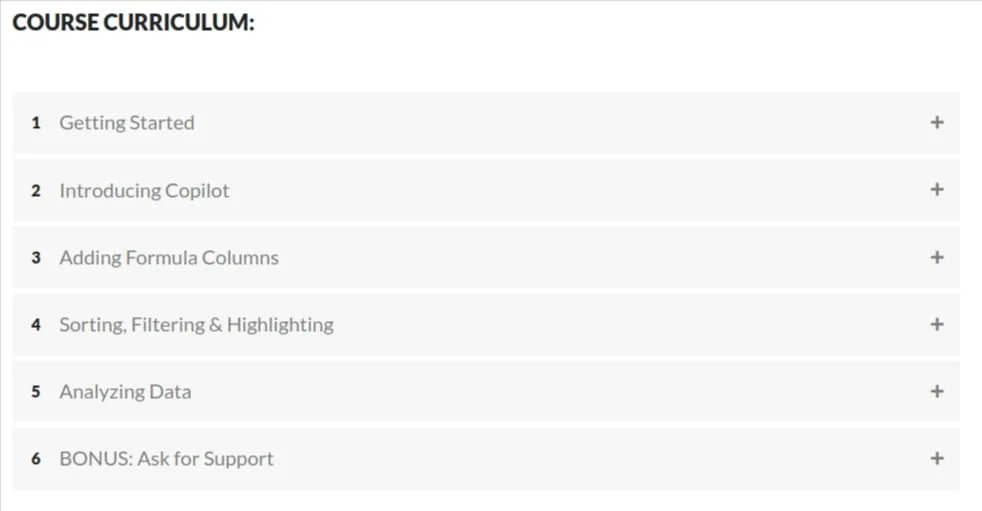
Content of Microsoft Copilot for Excel

Requirements
- You need a Microsoft 365 Personal or Family subscription to follow along with the course demos (Microsoft offers a 1-month free trial)
- No advance preparation is required (basic data skills are a plus, but not a prerequisite)
Pictures

Sample Clip
Video Player
00:00
00:00
Installation Guide
Extract the files and watch with your favorite player
Subtitle : English
Quality: 1080p
Download Links
Downloadly
Rapidgator
Password file(s): www.downloadly.ir
File size
863 MB