Descriptions
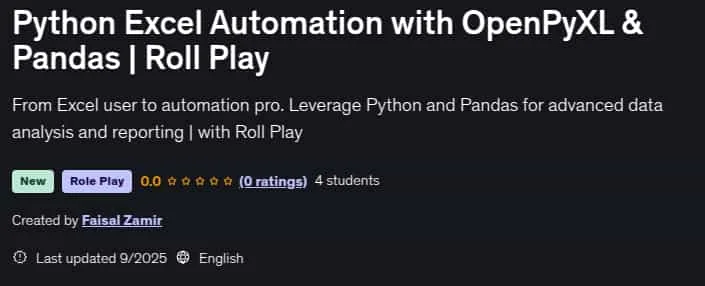
Python Excel Automation with OpenPyXL & Pandas | Roll Play, Automate Excel with Python: Master Pandas & openpyxl for Data Analysis. Tired of wasting hours on repetitive Microsoft Excel tasks? Stop the manual copy-pasting, formatting, and report generation. It’s time to work smarter, not harder. Welcome to the ultimate course for automating Microsoft Excel with Python. This practical guide teaches you how to use powerful libraries like Pandas and openpyxl to automate your spreadsheets, transform your data analysis workflow, and save countless hours every week. Whether you’re in finance, HR, sales, or research, this skill set is an indispensable superpower in today’s data-driven world. Why Automate Excel with Python? Manual Excel work is slow, prone to errors, and simply not scalable. Python for data analysis changes everything. By learning Pandas Python and openpyxl, you can: Eliminate Repetition: Write a script once to automate monthly reports forever. Handle Large Datasets: Process thousands of rows effortlessly, far beyond Excel’s standard limits. Improve Accuracy: Remove human error from data cleaning and calculations. Unlock Advanced Analysis: Use Python data analysis capabilities that go far beyond standard Excel formulas. This course is your gateway to becoming the person who automates the boring stuff and focuses on high-impact insights. Who is this course for? Excel Users & Data Analysts who want to automate repetitive tasks and enhance their data analysis skills. Professionals in Finance, Marketing, or HR who regularly work with reports and data in Microsoft Excel. Python Beginners interested in practical applications for Python for data analysis and Python for finance. Anyone who wants to add highly valuable Python data science and automation skills to their resume. What Will You Achieve? By the end of this course, you will be able to: Automate complex reports for sales, finance, and HR using Python Pandas and openpyxl. Clean and prepare large datasets efficiently, a fundamental skill for Python data science. Perform powerful data analysis with Pandas, including filtering, grouping, and aggregating data. Create dynamic charts and dashboards directly from your Python scripts.
What you’ll learn
- Master the essentials of Pandas and OpenPyXL to handle Excel files programmatically with confidence.
- Clean, prepare, and analyze raw datasets to generate accurate, structured insights.
- Automate repetitive Excel tasks like formulas, formatting, and data entry to save hours of manual work.
- Build interactive charts, dashboards, and reports that update dynamically with just a few lines of code.
- Apply automation to real-world scenarios such as sales reports, HR sheets, finance budgets, and client-ready reports.
Who this course is for
- Students & Beginners who want to learn practical Python skills by working with Excel data.
- Data Analysts & Researchers looking to save time by automating data cleaning, analysis, and reporting.
- Office Professionals who spend hours in Excel and want to replace repetitive manual tasks with automation.
- Freelancers & Consultants aiming to deliver advanced Excel-based solutions to clients with less effort.
- Anyone Interested in Automation who wants to boost productivity and efficiency in handling spreadsheets.
Specificatoin of Python Excel Automation with OpenPyXL & Pandas | Roll Play
- Publisher : Udemy
- Teacher : Faisal Zamir
- Language : English
- Level : All Levels
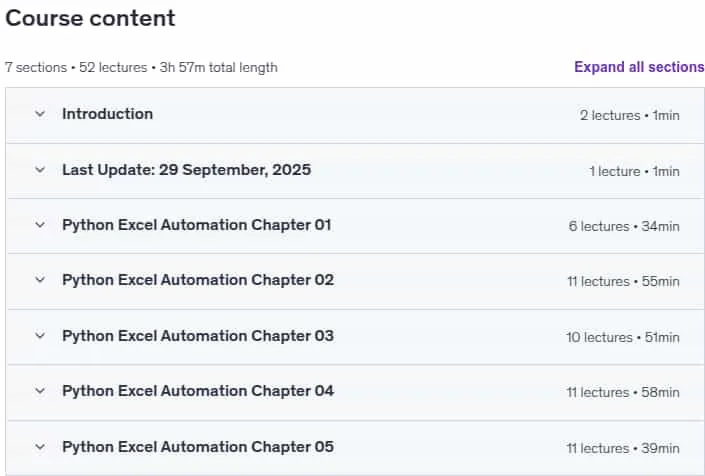
- Duration : 3 hours and 57 minutes
Content of Python Excel Automation with OpenPyXL & Pandas | Roll Play

Requirements
- Basic of Python
- Basic of Excel
Pictures

Sample Clip
Installation Guide
Extract the files and watch with your favorite player
Subtitle : Not Available
Quality: 1080p
Download Links
Password file(s): www.downloadly.ir
File size
2.22 GB