Description
Learning PowerShell for Windows Server Administration. This course is designed to provide entry-level system administrators with the essential skills to manage Windows servers using Microsoft PowerShell. Professor Robert McMillen teaches the fundamentals of working with PowerShell to manage users and objects in a variety of environments, including on-premises infrastructure and cloud platforms. A key part of this course is the introduction and use of the Copilot tool, which uses artificial intelligence to automate the process of creating scripts to facilitate learning for novices. Participants will learn a wide range of techniques that are essential for any Windows system administrator, including how to perform system upgrades, customize the workspace, establish remote connections to other servers, and implement security settings for the PowerShell pipeline. Working with management modules to perform routine tasks, and effectively using cmdlets, functions, and scripts to automate administrative operations are also covered. This course is structured in such a way that by the end of it, learners will have the ability to use the power of PowerShell to improve the efficiency and automate the management of their Windows infrastructure.
What you will learn
- Managing Windows with PowerShell: How to use PowerShell to effectively manage Windows systems.
- Getting Started with PowerShell for Administrators: Gain basic knowledge and get started using this tool.
- New features in PowerShell version 7: Learn about the features and improvements added in version 7.
- Upgrading Windows PowerShell: The correct ways to update your existing PowerShell version.
- Managing Windows Servers with Windows Admin Center and PowerShell: Using a combination of two tools for better server management.
- Customize a PowerShell session: Adjust the PowerShell workspace based on personal preferences.
- How to write PowerShell commands (cmdlets) syntax: Understand the structure of commands to execute them correctly.
- Using Help in PowerShell: How to access and use built-in documentation and help.
- Differences between cmdlets and other PowerShell commands: Understand the different components of commands and how they work.
- Building Functions: Learn how to create custom functions to automate tasks.
- Using Aliases: How to use and manage aliases for long commands.
- Execution Policies Management: Understand and set security policies for executing scripts.
- Edit PowerShell profiles: Set up your PowerShell environment permanently using profiles.
- How to load modules: How to add new functionality through modules.
- Remotely connect to other servers using PowerShell: Managing remote servers.
- Output filtering: Limit and sort command results for easier analysis.
- Logging cmdlets in PowerShell: Record activities performed for security checks and troubleshooting.
- Using Common Information Model (CIM) cmdlets: Manage operating system objects through CIM.
This course is suitable for people who:
- Entry-level system administrators (sysadmins) are looking to develop their automation skills.
- Interested in learning how to simultaneously manage on-premises and cloud environments using a single tool.
- They are looking to use artificial intelligence (AI) like Copilot to facilitate and accelerate the PowerShell scripting process.
- They tend to perform complex management operations such as Upgrade, Remote Administration, and Security more effectively using PowerShell.
- Aim to increase their knowledge of the core components of PowerShell including cmdlets, functions, and scripts.
Learning PowerShell for Windows Server Administration course details
- Publisher: LinkedIn
- Instructor: Robert McMillen
- Training level: Beginner
- Training duration: 1 hour and 50 minutes
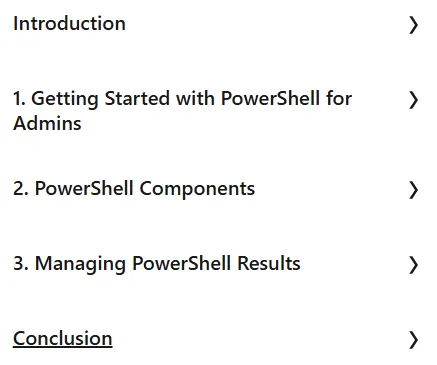
Course headings

Course images

Sample course video
Installation Guide
After Extract, view with your favorite player.
Subtitles: English
Quality: 720p
Download link
Downloadly
Rapidgator link
File(s) password: www.downloadly.ir
File size
155 MB