Description
Interactive Excel Dashboards for Professionals is a course on creating dynamic, visually engaging dashboards published by Udemy Online Academy. It is a hands-on course designed to help professionals create dynamic, visually engaging dashboards that transform raw data into actionable insights. The course focuses on using Excel’s powerful tools to build interactive reports for business analysis, performance tracking, and decision-making without relying on external software. The course covers essential Excel skills like data cleansing, advanced formulas, and pivot tables, then moves on to designing interactive dashboards with slicers, timelines, and form controls for real-time filtering and visualization.
Learners explore conditional formatting, dynamic charts, and KPIs to clearly present complex data sets, while also mastering Power Query and Power Pivot to efficiently manage big data models. This course emphasizes best practices for layout, usability, and automation to create professional dashboards that update automatically and are easily shared across teams. By working on practical projects and real-world scenarios, individuals gain the expertise needed to build interactive, polished Excel dashboards that effectively communicate insights for business and professional use.
What you will learn in Interactive Excel Dashboards for Professionals:
- Design and build professional, interactive dashboards in Excel from scratch
- Import, clean, and structure raw data for effective analysis
- Use Excel functions like VLOOKUP, INDEX-MATCH, IF, COUNTIF, SUMIFS, etc. to transform data
- Create PivotTables and PivotCharts for dynamic data summarization and visualization
- Design KPIs, performance scorecards, and comparison charts
- Build dynamic charts (bar, line, pie, gauge, etc.) that update with user input
- Add interactivity using slicers, drop-down menus, and form controls
- Apply best practices to dashboard layout, formatting, and data storytelling
- Automate reporting and dashboard updates using formulas and data connections
- And more…
Course specifications
Publisher: Udemy
Instructors: PreparationInfo Learning
Language: English
Level: Introductory to Advanced
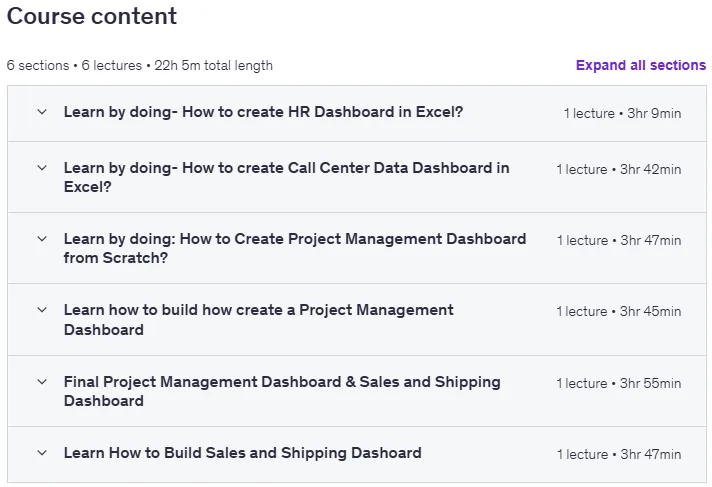
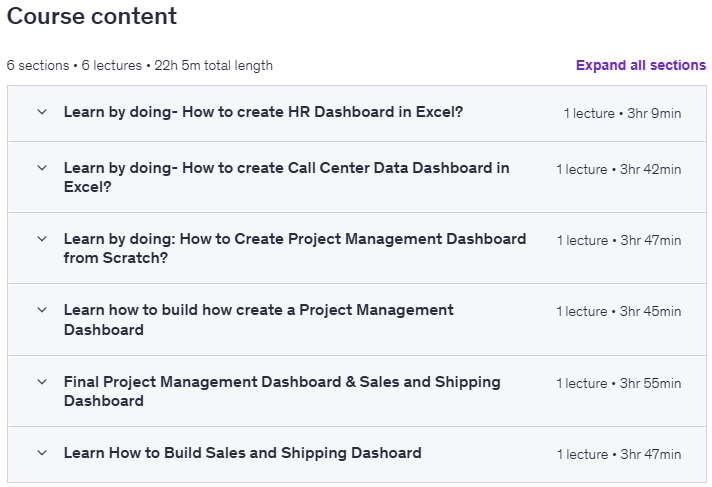
Number of Lessons: 6
Duration: 22 hours and 5 minutes
Course topics
Interactive Excel Dashboards for Professionals Prerequisites
Basic knowledge of Microsoft Excel (familiarity with cells, formulas, and charts is helpful)
Access to a computer or laptop with Microsoft Excel (2016 or later recommended) installed
Willingness to learn and experiment with hands-on dashboard creation
No prior experience in data analysis or dashboarding is required – we’ll guide you step-by-step!
Pictures

Interactive Excel Dashboards for Professionals introduction video
Installation guide
After Extract, watch with your favorite Player.
Subtitle: None
Quality: 720p
Download link
File password (s): www.downloadly.ir
Size
23.5 GB