Description
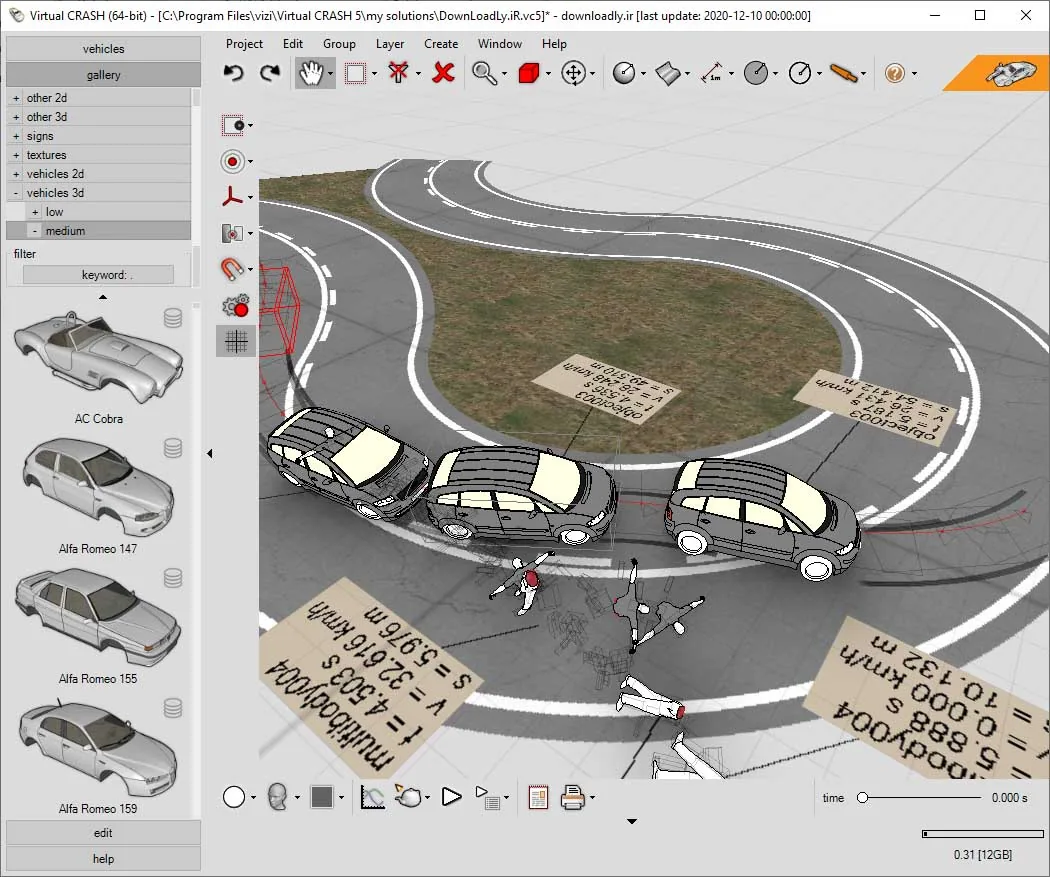
Virtual CRASH is the name of a crash simulator program. Version 5 of this program is made with the aim of reviving crash modeling, which in addition to all the features of version 4 (including physics models), has more performance. With the help of the 64-bit version of this program, you no longer have to worry about memory limitations and easily use quality 3D models, textures and aerial images. Take full control of the appearance and quality of the car, buildings, trees or any other object in the scene. You also have control over reflectivity, transparency, gloss and other features.
Features and specifications of Virtual CRASH software:
- Advanced editing of materials used with the help of texture mapping
- New Momentum Solver tool
- New mesh optimizer
- Improved user experience interface
- New cars
- Control the appearance of different people
- Insert point clouds into your simulator
- Easy to use level builder
- Use Google Earth with Earth Raiser
- Path Animation tool
- Adjustable sun location and volumetric light
System Requirements:
Minimum Hardware Requirements
CPU: Pentium 1 GHz RAM 256 MB (512 MB recommended)
Video: OpenGL or DirectX compatible video card
Operating System Requirements
In order to install Virtual CRASH, you must have the following operating system with Microsoft Internet Explorer version 8.0 or higher on your computer:
Microsoft Windows 7,
Microsoft Windows 8.
Microsoft Windows 10
User Input Devices
Virtual CRASH requires both a 2-button mouse with scroll wheel, as well as a keyboard. Keyboards are primarily used for combined keystroke and click combinations, such as with using the <Shift>, <Ctrl> and <Alt>.
Picture

Buy
For any question Contact us
File size
618 MB